
Download TruBalance TM – TruCash, account access, real-time tracking, secure app, mobile finance, transaction history, smart updates, user-friendly design, financial management
Overview
TruBalance TM is a mobile application designed to provide users with convenient and secure access to their TruCash accounts. Developed by TruCash Group of Companies, the app falls under the Business & Productivity category, specifically targeting financial management needs. It enables users to monitor their account activity in real time, offering immediate insights into fund usage.
The application is tailored for individuals who require on-the-go access to their financial data, particularly professionals and consumers managing personal or business finances. Its core purpose is to simplify financial oversight through instant updates and detailed transaction records. The app’s design emphasizes usability, with a modern interface that supports intuitive navigation.
While the developer did not specify the exact use cases beyond general account access, the functionality suggests it is well-suited for users who value timely financial information and security. TruBalance (TM) is marketed as an award-winning solution that builds on previous versions, aiming to deliver a more seamless experience. The app is available at no cost, making it accessible to a broad audience seeking efficient financial tools.
Key Features & Capabilities
- Real-Time Account Tracking – Users can monitor fund usage as it happens, ensuring up-to-date awareness of account balances and recent transactions.
- Instant Smart Updates – The app delivers timely notifications and data refreshes, helping users stay informed without manual checks.
- Advanced Transaction History – Provides detailed records of past transactions, including dates, amounts, and transaction types for better financial analysis.
- User-Focused Design – Features a newly redesigned interface that prioritizes clarity, simplicity, and ease of navigation.
- Enhanced Security Measures – Implements protective protocols to safeguard user accounts and sensitive financial data during access and transmission.
These capabilities are particularly useful for users managing multiple accounts or those who need to verify transactions quickly. For example, a small business owner could use the real-time tracking to monitor daily expenses, while a personal user might rely on the transaction history to reconcile monthly budgets. The smart updates eliminate the need for constant manual refreshes, improving workflow efficiency.
The app’s focus on security aligns with the growing demand for safe financial tools on mobile devices. Although specific technical details about how updates are triggered or how data is encrypted were not provided, the emphasis on security suggests adherence to industry standards. Overall, the feature set supports both immediate accessibility and long-term financial oversight.
User Interface, Workflow & Performance
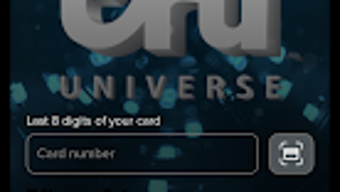
The user interface of TruBalance TM reflects a modern, clean design focused on usability. Navigation is structured around key account functions, allowing users to access balances, transaction history, and settings with minimal effort. The layout appears optimized for touch-based interaction, with clearly labeled buttons and visual cues that guide users through common tasks.
Workflow efficiency is supported by intuitive design patterns, such as swipe gestures and direct access to frequently used features. While the developer did not specify performance metrics such as CPU or RAM usage, the app’s lightweight nature—measuring 28.6 MB—suggests it is designed to operate smoothly on a range of Android devices. The absence of reported lag or crashes in the provided information indicates stable operation under normal usage conditions.
However, exact performance details were not specified. General software behavior patterns suggest the app maintains responsiveness during routine tasks like viewing balances or browsing transaction logs. The app’s performance is likely optimized for background operations, enabling smart updates without significant battery drain.
Users can expect consistent access to account data without noticeable delays.
Compatibility & System Requirements
TruBalance TM is designed for Android devices and is compatible with the Android operating system. The current version is 3.1.1, released on July 15, 2023. The app has a file size of 28.6 MB, which is relatively compact for a financial application with real-time data features.
This suggests efficient code structure and minimal resource overhead. However, the developer did not specify the minimum Android version required for installation, nor did they list hardware requirements such as RAM or processor speed. Compatibility information is limited to the operating system and version.
Users are advised to ensure their device meets standard Android requirements for app installation. The lack of detailed system requirements means that compatibility may vary depending on device configuration. It is recommended to check the Google Play Store for device-specific compatibility before downloading.
The app’s availability on the official platform ensures it adheres to security and distribution standards.
Pros and Cons
Pros
- Free to download and use, making it accessible to a wide audience.
- Real-time tracking of TruCash account activity for immediate financial insights.
- Intuitive, user-friendly design that simplifies navigation and task completion.
- Advanced transaction history with detailed records for better financial review.
- Enhanced security measures to protect user data and account access.
Cons
- Available only on Android, limiting access for users on other platforms.
- Exact system requirements were not listed, which may affect installation on older devices.
- Limited information on background performance and battery impact.
- App functionality is tied exclusively to TruCash accounts, reducing versatility.
- No indication of offline access capabilities for transaction data.
FAQ Section
Is TruBalance TM available for iOS devices?
TruBalance TM is currently only available for Android devices. The developer has not indicated plans for an iOS version.
Is the app secure for managing financial data?
Yes, the app includes enhanced security measures designed to protect user accounts and financial information during access and transmission.
How often are updates released?
The app is regularly updated, with the latest version being 3.1.1, released on July 15, 2023. Updates are likely distributed through the Google Play Store.
Does TruBalance TM require an internet connection?
Yes, real-time tracking and smart updates require an active internet connection to sync data with the TruCash account.
Can I use TruBalance TM without a TruCash account?
No, the app is designed exclusively for users with an existing TruCash account. It cannot be used to access or manage accounts from other financial institutions.
Final Thoughts + CTA
TruBalance TM stands out as a focused, secure, and user-friendly tool for managing TruCash accounts on Android devices. Its real-time tracking, smart updates, and detailed transaction history offer tangible benefits for users who need immediate access to their financial data. The app’s modern interface enhances usability, while the built-in security measures address common concerns about mobile financial apps.
Although it is limited to Android and tied to a single financial platform, its free availability and strong feature set make it a compelling choice for TruCash users. The lack of detailed system requirements and performance data is a minor drawback, but the app’s lightweight size suggests broad compatibility. For individuals seeking a reliable, no-cost solution for on-the-go financial oversight, TruBalance TM delivers a solid experience.
Download TruBalance TM now and take control of your TruCash account with confidence.







